AI Product Photography: How D2C Brands Create Catalogue Images Without a Studio
Where AI photoshoots match a studio, where they do not, and a workflow for marketplace-ready images.
D2C brands can now create catalogue images without a studio by photographing products on a phone in good light and using AI tools to remove backgrounds, place the product in clean or lifestyle scenes, and even show it on virtual models. For most packaged goods, accessories, home products and simple apparel, the results are good enough for marketplaces and social ads at a fraction of the cost and time of a studio shoot. Where AI still struggles is fine texture, exact colour, complex drapes and anything where the product must look precisely as it will arrive. The smart approach is to know which images to generate and which to shoot.
How an AI photoshoot works
An AI product photoshoot usually starts with a real photograph of your product. The software separates the product from its background, then builds a new scene around it: a plain white backdrop, a marble counter, a festive table, an outdoor setting or a model wearing or holding the item. Good tools keep the product pixels largely intact and generate the surroundings, lighting and shadows to match.
This is different from generating a product from a text prompt alone. A purely generated product will not match what you actually ship, and marketplaces and customers will notice. Always start from a real photo of the real item.
Where AI matches a studio
- White and plain backgrounds: Amazon, Flipkart and Meesho main images need clean backgrounds. AI background removal and replacement handles this reliably for most products.
- Lifestyle scenes for rigid products: bottles, jars, boxes, electronics, cookware, décor and footwear sit convincingly in generated rooms and settings.
- Volume and variants: one base photo can produce many scenes for different campaigns, festivals or audiences in minutes.
- Speed: a new SKU can be listed the same day rather than waiting for the next scheduled shoot.
- Ad creative testing: you can test several backgrounds and moods in ads before committing to an expensive shoot for the winner.
Where it does not, yet
- Fabric texture and drape: sarees, lehengas and flowing garments can look flat or oddly folded on virtual models.
- Exact colour matching: AI lighting can shift colours slightly, which drives returns in fashion and cosmetics.
- Jewellery and reflective surfaces: stones, metal and glass often need controlled studio lighting to look right.
- Scale and fit: generated scenes can make a product look larger or smaller than it is unless you check proportions carefully.
- Hero brand campaigns: a flagship campaign that defines your brand still benefits from a human photographer and art director.
Cost and time compared
Prices below are typical market ranges for Indian D2C brands and will vary by city, product type and the photographer or tool you choose.
| Approach | Typical cost | Turnaround | Best for |
|---|---|---|---|
| Studio shoot, white background | ₹300 to ₹1,500 per image | 1 to 2 weeks | Jewellery, premium fashion, hero SKUs |
| Studio shoot with models | ₹25,000 to ₹1.5 lakh per day plus model fees | 2 to 4 weeks including planning | Apparel launches, brand campaigns |
| AI background and lifestyle scenes | A monthly subscription or a few rupees to ₹100 per image | Minutes to hours | Catalogue volume, variants, ad testing |
| AI virtual models | Usually higher per image than backgrounds, still below a shoot | Hours | Simple apparel and accessories, social content |
A workflow for marketplace-ready images
The quality of AI output depends heavily on the input photo. This workflow keeps results consistent.
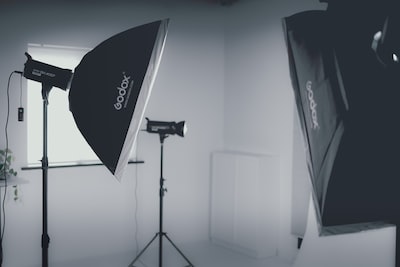
- Set up a simple shooting corner. A window with indirect daylight or two softbox lights, a plain white or grey sheet, and a phone on a tripod. Clean the product before every shot.
- Shoot every angle you need. Front, back, sides, top, close-ups of labels and details. Keep the camera at the same height and distance for each SKU so the catalogue looks uniform.
- Capture true colour. Place a colour reference card in one test shot and compare the result on a calibrated screen. Fix colour before generating scenes.
- Generate the main image first. Pure white background, product filling most of the frame, following each marketplace's size and background rules.
- Create secondary images. Lifestyle scenes, scale references, infographic panels with key features, and model shots where they help.
- Review every image against the physical product. Check colour, logo accuracy, proportions and any added elements that are not included in the box.
- Export to spec and name files by SKU so uploads and updates stay organised.
Rules to stay compliant
Marketplaces generally require that the main image shows the actual product, without props that are not included, and without misleading enhancements. Generated scenes are best kept to secondary images. Always read the current image guidelines of each marketplace before uploading, because they change.
Getting started
Begin with your ten best-selling SKUs. Produce a full AI image set for each, list them alongside or instead of the old images, and compare click-through and conversion on the marketplace dashboard over a few weeks. Expand to the rest of the catalogue once you are happy with quality and returns.
Yenetch Studio AI is built for exactly this workflow, turning phone photos into catalogue-ready images with AI backgrounds, models and lifestyle scenes. For campaigns that need a creative team, our content and creative studio can combine AI and traditional shoots.
Frequently asked questions
Are AI product images allowed on Amazon and Flipkart?
Yes, as long as the image accurately represents the real product and follows each marketplace's image rules. Main images usually need a plain white background and must not include items that are not part of the listing.
Can I use a phone camera for the base photos?
A recent mid-range or flagship phone is sufficient for most products if the lighting is soft and even and the phone is on a tripod. Lighting matters more than the camera.
Will AI images increase returns?
They can if colour, size or texture is misrepresented. Checking each image against the physical product and keeping colour-critical items for studio shoots keeps that risk low.