Local SEO Checklist 2026: Rank on Google Maps in Jaipur, Gurugram and Beyond
Twenty practical steps for Google Business Profile, reviews, citations and location pages.
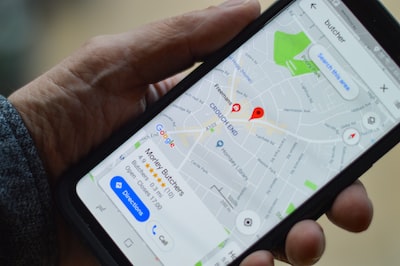
To rank on Google Maps in Jaipur, Gurugram or any Indian city, you need three things working together: a complete and accurate Google Business Profile, a steady flow of genuine reviews, and a website with location pages that confirm the same details. Google ranks local results on relevance, distance and prominence. You cannot change where a searcher stands, but you can control the other two. The twenty steps below are grouped so you can work through them in order over four to eight weeks.
How local rankings work
When someone searches "dentist near me" or "digital marketing agency Gurugram", Google shows a map pack of three businesses, then organic results. The map pack is driven mainly by your Google Business Profile, supported by signals from your website, reviews and mentions of your business across the web.
- Relevance: how well your profile and site match the search, through categories, services and content.
- Distance: how close your business is to the searcher or the location in the query.
- Prominence: how well known and trusted you are, reflected in reviews, citations, links and overall web presence.
Steps 1 to 7: Google Business Profile
This is where most of the ranking effect comes from, and where most SMEs leave obvious gaps.
- Claim and verify the profile using a company email that will not leave with an employee. Add at least two owners or managers.
- Use your real business name. Adding keywords such as "Best CA Firm Jaipur" to the name breaks Google's guidelines and can get the listing suspended.
- Choose the most specific primary category, then add relevant secondary categories. "Orthodontist" beats "Dentist" if that is your main service.
- Get the address and pin exactly right. In Indian cities, include landmark, sector or colony, and PIN code. Check that the map pin sits on your actual entrance.
- List every service and product with short descriptions and, where sensible, price ranges.
- Upload real photos regularly: storefront, signage, team, interiors and work samples. Profiles with fresh, genuine photos look active to both people and Google.
- Keep hours accurate, including special hours for Diwali, Holi and other holidays, and publish updates or offers every week or two.
Steps 8 to 11: Reviews
Reviews influence both ranking and the click. A listing with a handful of old reviews loses to a competitor with steady recent ones, even if the competitor is slightly further away.
- Ask every satisfied customer at the right moment: after delivery, after a successful appointment, or when they thank you.
- Make it easy with a short review link or QR code on invoices, WhatsApp messages and the counter.
- Reply to every review, positive and negative, within a few days. Mention the service naturally in your reply, without stuffing keywords.
- Never buy or incentivise reviews. Google filters suspicious patterns and fake reviews can lead to removals or penalties.
Steps 12 to 15: Citations and NAP consistency
NAP stands for name, address and phone number. Google cross-checks these across the web. Inconsistent details, such as an old phone number on a directory or a different spelling of your name, weaken trust.
- Decide one exact format for your name, address and phone, and use it everywhere.
- List on core Indian directories such as Justdial, Sulekha, IndiaMART (for B2B) and relevant industry portals, plus Bing Places and Apple Business Connect.
- Clean up old listings from previous addresses or numbers. Search your business name and old phone numbers to find them.
- Get mentioned locally through chamber of commerce listings, local news, event sponsorships and association memberships.
| Citation type | Examples | Priority |
|---|---|---|
| Map platforms | Google Business Profile, Apple Business Connect, Bing Places | Essential |
| General Indian directories | Justdial, Sulekha | High |
| B2B marketplaces | IndiaMART, TradeIndia | High for manufacturers and suppliers |
| Industry portals | Practo for clinics, Zomato for restaurants, property portals for real estate | High for that sector |
| Local organisations | Trade associations, chambers of commerce, local news | Medium, but good for prominence |
Steps 16 to 20: Website and location pages
Your website confirms what your profile claims. It also ranks in the organic results below the map pack, which many people scroll to.
- Create one page per location if you serve several cities or have multiple branches. Each page needs unique content: address, map, directions from nearby landmarks, local team, photos and reviews from that area.
- Avoid thin "city swap" pages. Twenty copies of the same text with the city name changed tend to rank poorly and can drag the site down.
- Add LocalBusiness schema markup with your name, address, phone, hours and geo-coordinates.
- Make the site fast on mobile. Most local searches happen on phones, often on patchy connections.
- Link profile and site both ways. Your Google profile should link to the matching location page, not just the homepage, and that page should show a click-to-call button and WhatsApp link.
Tips for businesses in more than one city
If you operate in, say, Jaipur and Gurugram, each branch needs its own verified profile with its own address and local phone number. Service-area businesses without a storefront, such as home services, can hide their address and define service areas instead, but they still need a genuine base location. Do not create profiles at virtual offices or addresses where you do not actually serve customers; Google suspends these regularly, and reinstatement is slow.
Track progress monthly using the Performance section in Google Business Profile: searches, calls, direction requests and website clicks. These tell you more about business impact than rank checks for a single keyword.
If you would rather have this handled, Yenetch's SEO team runs local SEO for multi-location businesses, and our reputation management service covers review generation and responses.
Frequently asked questions
How long does it take to rank on Google Maps?
Fixes to the profile can show effects within a few weeks. In competitive categories such as clinics or real estate in large cities, steady gains usually take three to six months of consistent reviews, content and citation work.
Can I rank in a city where I do not have an office?
In the map pack it is difficult, because distance and a verified address matter. You can still rank in organic results with a strong, genuinely useful location page for that city.
Does posting on Google Business Profile help rankings?
Regular posts keep the profile looking active and can improve engagement from searchers. Their direct ranking effect is modest, so treat them as a conversion tool rather than a ranking lever.
What should I do if my listing is suspended?
Fix whatever breaks the guidelines, such as keywords in the name or a wrong address, then submit a reinstatement request with proof like a utility bill, shop registration or signage photos.